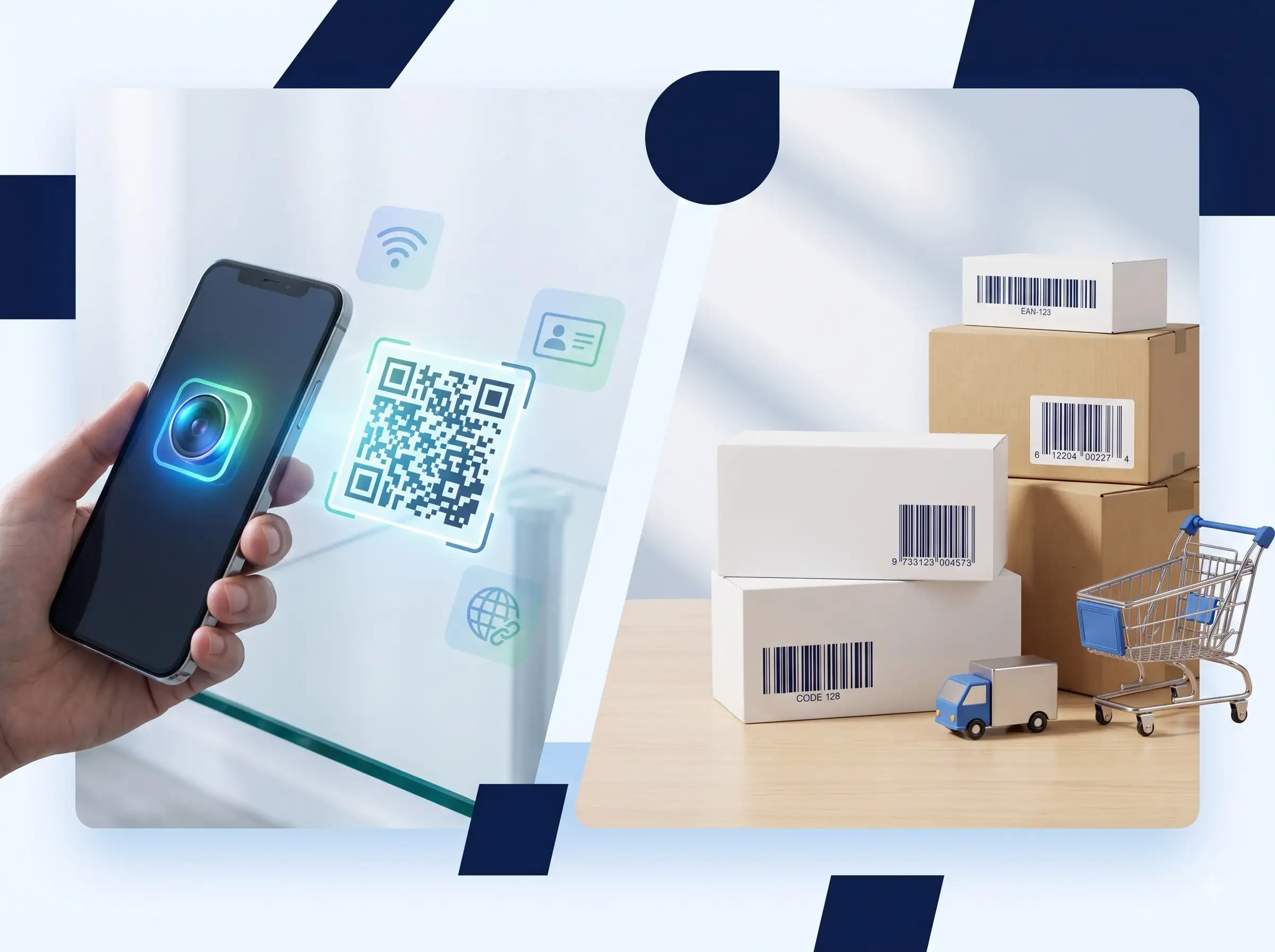
QR codes and barcodes solve different problems. A QR code can open a website, share WiFi access, display text, or help someone save your contact. A traditional barcode is usually designed for fast scanning at a checkout, warehouse, or inventory station.
This guide explains how to create a QR code, when to use a free QR code generator online, and how a barcode generator can help with product labels, shipping workflows, and inventory records. You can create both types of codes with the browser-based tools from WeLuvTools without installing software.
QR code vs barcode: what is the difference?
| Feature | QR code | 1D barcode |
|---|---|---|
| Shape | Two-dimensional square pattern | One-dimensional lines |
| Best for | Links, WiFi, contact details, text, events | Products, stock, parcels, labels |
| Data capacity | Can hold more information | Usually holds a shorter identifier |
| Scanning | Often works with a phone camera | Usually scanned with a retail or handheld scanner |
| Typical output | PNG or SVG for screens and print | PNG or SVG for labels and packaging |
Choose a QR code when the person scanning it needs to take an action. Choose a barcode when a system needs to identify an item quickly and consistently.
How to create a QR code online
WeLuvTools QR Code Generator is a free QR code maker for URLs, plain text, email addresses, phone numbers, SMS messages, and WiFi credentials. It runs in the browser, so you can create a code without creating an account or uploading your input to a QR service.
- Open the QR code generator.
- Select the content type, such as URL, text, email, phone, SMS, or WiFi.
- Enter the information you want to encode.
- Choose a readable size and strong foreground/background contrast.
- Generate the code and scan-test it with a phone.
- Download PNG for common digital use or SVG for scalable print output.
A QR code is static when the destination or information is encoded directly into the pattern. It does not expire by itself, but a website QR code will stop being useful if the destination URL stops working.
Popular QR code use cases
QR code for a website or landing page
A QR code for a website is useful on flyers, posters, menus, packaging, signs, and printed advertisements. Link directly to the page a visitor needs instead of sending them to a homepage and asking them to search.
WiFi QR code generator
With the WiFi QR Code Generator, enter the network name, password, and security type. Guests can scan the printed code instead of typing a long password. This works well for homes, offices, cafés, hotels, Airbnb properties, and events.
Because the password is encoded in the QR image, display the printed code only where you are comfortable sharing network access. Creating the image locally does not make a public WiFi password private.
vCard QR code for a business card
A vCard QR Code Generator creates a digital business card QR code containing contact details such as your name, phone number, email, company, job title, and website. Add it to a printed business card, email signature, portfolio, conference badge, or networking display.
QR code for menus, events, and products
Restaurants can use QR codes for digital menus. Event organizers can link to registration, maps, schedules, or ticket information. Product teams can link packaging to manuals, warranty instructions, setup guides, or support pages.
How to create a barcode online
A barcode generator is designed for structured identifiers. WeLuvTools Barcode Generator supports common formats including EAN-13, EAN-8, UPC-A, Code 128, Code 39, and ITF-14.
- Select the barcode format that matches your workflow.
- Enter valid data for that format.
- Adjust the dimensions and decide whether readable text should appear below the bars.
- Generate the preview.
- Scan-test the result before printing a large batch.
- Download PNG for normal label use or SVG when you need scalable print output.
The barcode format matters. An EAN-13 barcode is not interchangeable with a UPC-A barcode simply because both are used on products. Confirm the identifier standard required by your retailer, marketplace, inventory system, or logistics provider.
Common barcode formats explained
EAN-13 barcode generator
EAN-13 is a 13-digit retail barcode commonly used internationally. Use it when your product or retail system specifically requires an EAN identifier. The number itself must be valid for the system that will scan and register the product.
UPC-A barcode generator
UPC-A is a 12-digit retail barcode widely used in North America. If a marketplace or retailer asks for a UPC, use the required UPC data rather than converting an arbitrary number and assuming it is ready for retail.
Code 128 barcode generator
Code 128 is a dense, flexible format used for shipping labels, logistics, tracking identifiers, and internal operations. It can encode numbers and letters, making it useful when the identifier is not limited to a retail product number.
Code 39 and ITF-14
Code 39 is common in industrial and inventory environments. ITF-14 is associated with outer cartons and distribution packaging. Always confirm the receiving system's format and sizing requirements before printing.
QR code and barcode design tips
- Use strong contrast between the code and its background.
- Keep a clear quiet zone around the code so scanners can detect its edges.
- Do not place text, logos, or patterns over important code areas.
- Print a test copy at the final physical size.
- Scan from different phones or scanners before mass printing.
- Use SVG when the code must scale for packaging, signage, or large labels.
- Keep the destination URL short and test it after publishing.
- Do not make a code so small that the modules blur together.
Which tool should you use?
Use the QR Code Generator for a website link, text, email, phone number, SMS, or general QR code. Use the WiFi QR Code Generator when the payload is a wireless network. Use the vCard QR Code Generator for contact sharing. Use the Barcode Generator for EAN, UPC, Code 128, Code 39, and other linear barcode workflows.
All four tools are designed for quick browser-based generation. Your input is used to create the code in the current workflow rather than being sent to a QR or barcode database for storage.
Final answer: QR code or barcode?
Use a QR code when you want a person to scan and open, save, connect, or read something. Use a barcode when a retail, inventory, shipping, or warehouse system needs to identify an item.
For a website, WiFi network, menu, event, or digital business card, start with a QR code. For product packaging, retail identifiers, shipping labels, and inventory records, start with the barcode format required by your system.