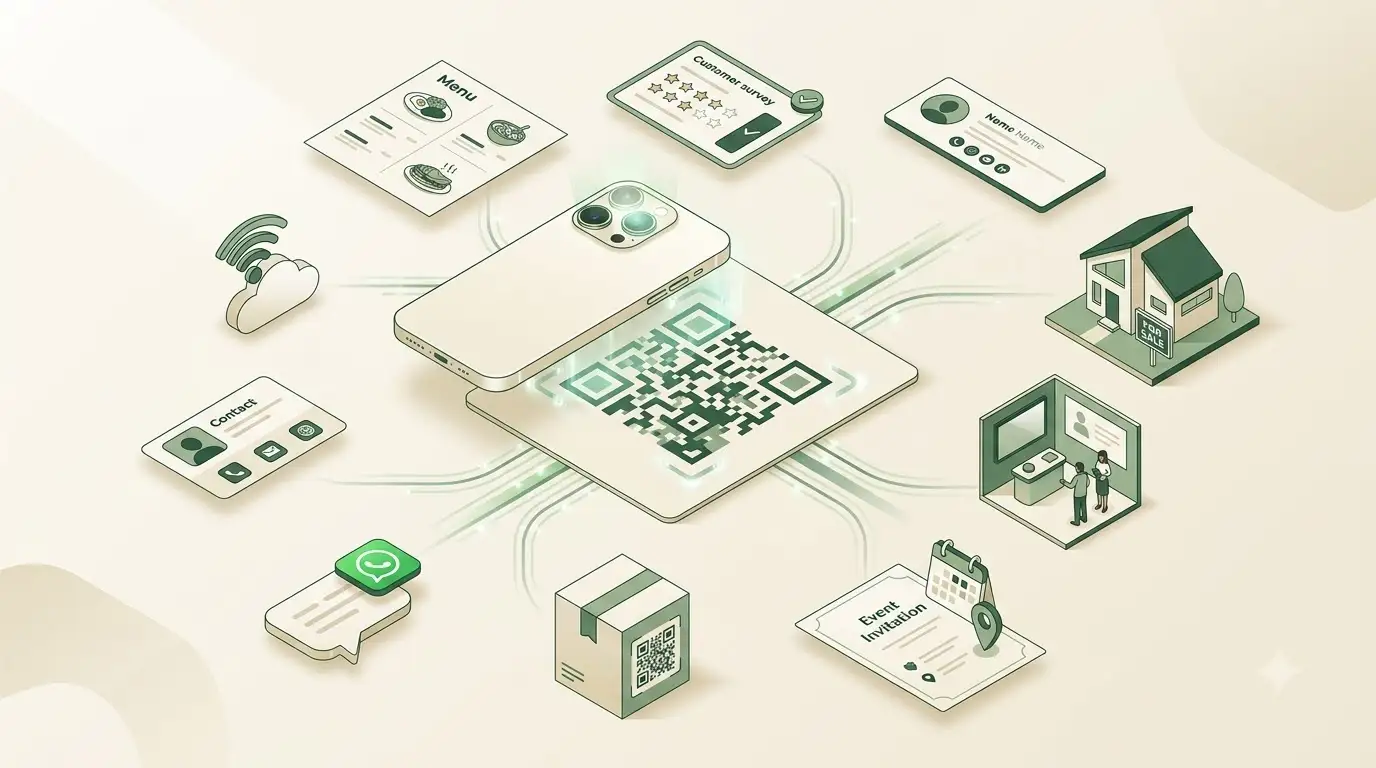
QR codes have moved far beyond simple website shortcuts. They connect physical material with a useful digital action: opening a menu, joining a guest network, starting a support chat, saving a contact, downloading an app, watching a video, or completing a feedback form.
The best QR code use cases remove a small but real obstacle. They save people from typing a long address, searching for a profile, entering a password, or copying contact details by hand. That makes them valuable for small businesses, marketing teams, restaurants, event organizers, property agents, and independent professionals.
Here are 10 creative and practical QR code ideas, with examples and direct links to the free WeLuvTools generators you can use to create them.
1. Digital restaurant menus
A menu QR code on a table, counter card, takeaway package, or window can open a public mobile menu or hosted PDF. Diners scan it with their phone instead of typing a web address.
This approach is especially useful when the destination remains at one stable URL. A restaurant can update the menu page or replace the hosted PDF at that same address without changing the QR code. If the URL changes, a new static code is required.
- Link to a mobile-friendly menu with readable prices and dietary information.
- Place the code where it can be scanned without moving tableware.
- Keep a printed alternative available for accessibility and customer preference.
- Test the final table card in the restaurant's actual lighting.
Try it: Restaurant Menu QR Code Generator.
2. WiFi sharing without typing passwords
A WiFi QR code can contain the network name, security type, password, and hidden-network setting. Compatible phones can recognize the payload and offer to join the network, avoiding repeated questions about capitalization and confusing characters.
This is one of the most useful QR code examples for cafés, hotels, offices, rental properties, events, and home guest networks. Treat the image like a visible password: anyone who can scan or decode it may be able to recover the credentials. Use a separate guest network where possible.
Try it: WiFi QR Code Generator.
3. Instant contact saving with a vCard
A vCard QR code encodes structured contact details such as a name, phone number, email address, organisation, job title, and website. When a compatible phone scans it, the user can review the information and save it as a contact.
Add a contact QR code to a business card, conference badge, resume, presentation slide, portfolio, or email signature. It reduces typing and makes it less likely that a new connection will save the wrong number or misspell an email address.
Try it: vCard QR Code Generator.
4. WhatsApp chat links for support and orders
A WhatsApp QR code can open a conversation with a specific international phone number and optionally prepare a message. It is a practical QR code for business inquiries, bookings, order questions, and customer support.
- A café table card can say, “Message us about your order.”
- A product label can direct customers to setup help.
- A service flyer can open a booking inquiry.
- An event sign can open an RSVP conversation.
Use a clear call to action beside the code so people know that scanning will open WhatsApp. Test both the phone number and prepared message before printing.
Try it: WhatsApp QR Code Generator.
5. Product packaging that continues the story
A retail barcode helps identify a product, while a QR code on packaging can connect the buyer with content that does not fit on the label. Food brands can share recipes and sourcing information. Electronics companies can open setup videos or manuals. Fashion brands can provide care instructions, sizing help, or styling ideas.
Link to the most relevant page rather than a generic homepage. A buyer looking for setup instructions should arrive directly at the guide. Use a stable public URL, make the landing page mobile-friendly, and keep it available for the expected lifetime of the product.
Try it: URL QR Code Generator or Video QR Code Generator.
6. Event invitations, schedules, and RSVPs
A QR code on a wedding invitation, event poster, badge, or printed program can open an RSVP form, map, schedule, ticket page, playlist, or welcome video. Guests reach the exact resource without copying a long address.
For multi-day events, link to a stable schedule page that the organizer can update. For an RSVP, test the form on a phone and keep it short. For venue directions, link to the confirmed map location and include a written address as a fallback.
Try it: QR Code Generator in URL mode.
7. Real estate listings and property tours
A QR code on a property sign or open-house flyer can open the full listing, a hosted photo gallery, a floor plan, or a virtual-tour video. Interested buyers can explore the property while standing outside, even when an agent is not present.
Use a large, high-contrast code for outdoor signs and test it from a realistic distance. The destination should load quickly on mobile data and clearly show the price, location, availability, and contact method.
Try it: Image QR Code Generator for a public gallery or image URL, or Video QR Code Generator for a hosted tour.
8. Trade-show and conference booths
A QR code on a booth backdrop, counter display, brochure, or presentation can open an app store page, demo, whitepaper, email signup, or meeting-booking link. Visitors can act immediately even when every team member is already speaking with someone.
Match one code with one clear action. “Download the app,” “Book a demo,” and “Get the guide” are easier to understand than an unexplained square. If one app QR must serve both iPhone and Android users, encode a tested smart link that routes visitors to the correct store.
Try it: App QR Code Generator or URL QR Code Generator.
9. Email signatures that support networking
A small QR code in an email signature can point to a LinkedIn profile, vCard contact, portfolio, booking page, or current case study. This can be useful when an email is displayed on a desktop and the reader wants to open the destination on a phone.
Keep the signature uncluttered and include an ordinary text link as well. Some email clients block images by default, so the QR code should enhance the contact options rather than replace them.
Try it: LinkedIn QR Code Generator or vCard QR Code Generator.
10. Feedback forms and customer surveys
A QR code on a receipt, package insert, table tent, checkout sign, or service document can open a short feedback form. Reducing the steps between the experience and the survey makes it easier for a customer to respond while the details are still fresh.
Ask only for information you will use, explain how responses are handled, and make the form comfortable to complete on a small screen. Link directly to the form instead of sending customers to a homepage.
Try it: URL QR Code Generator with the form's public link.
How to use QR codes effectively
Creative QR code uses still depend on good execution. Follow these checks before adding a code to business or marketing material:
- Choose one useful action. The scanner should know what will happen and receive something relevant.
- Add a clear call to action. Short copy such as “View menu,” “Join guest WiFi,” or “Save contact” gives the code context.
- Use a stable destination. A static URL QR code must be regenerated if the encoded address changes.
- Design for contrast. Use a dark foreground, light background, and clear margin. Avoid busy imagery behind the code.
- Size for the placement. A business card, table sign, poster, and billboard require different physical sizes and scanning distances.
- Test the final version. Scan the actual printed proof with multiple phones under realistic lighting.
- Provide a fallback. Include a short URL, written contact detail, printed menu, or other accessible route where appropriate.
Start using QR codes creatively
QR code marketing works best when it makes a physical object more useful. A menu can open current information, packaging can explain a product, a sign can show a property tour, and a business card can become a ready-to-save contact.
WeLuvTools creates static QR codes in the browser without requiring an account. The main generator provides design controls and PNG or SVG downloads, while dedicated tools provide purpose-built fields for WiFi, vCard, WhatsApp, apps, menus, and other use cases.