Image Cropper Online — Crop Images Free
Crop JPG, PNG, and WebP images online with a precise browser-based editor. Create custom crops, lock aspect ratios, use social media presets, rotate, flip, zoom, and process multiple images without uploading them.
Looking for India-specific guidance? Visit the India version.
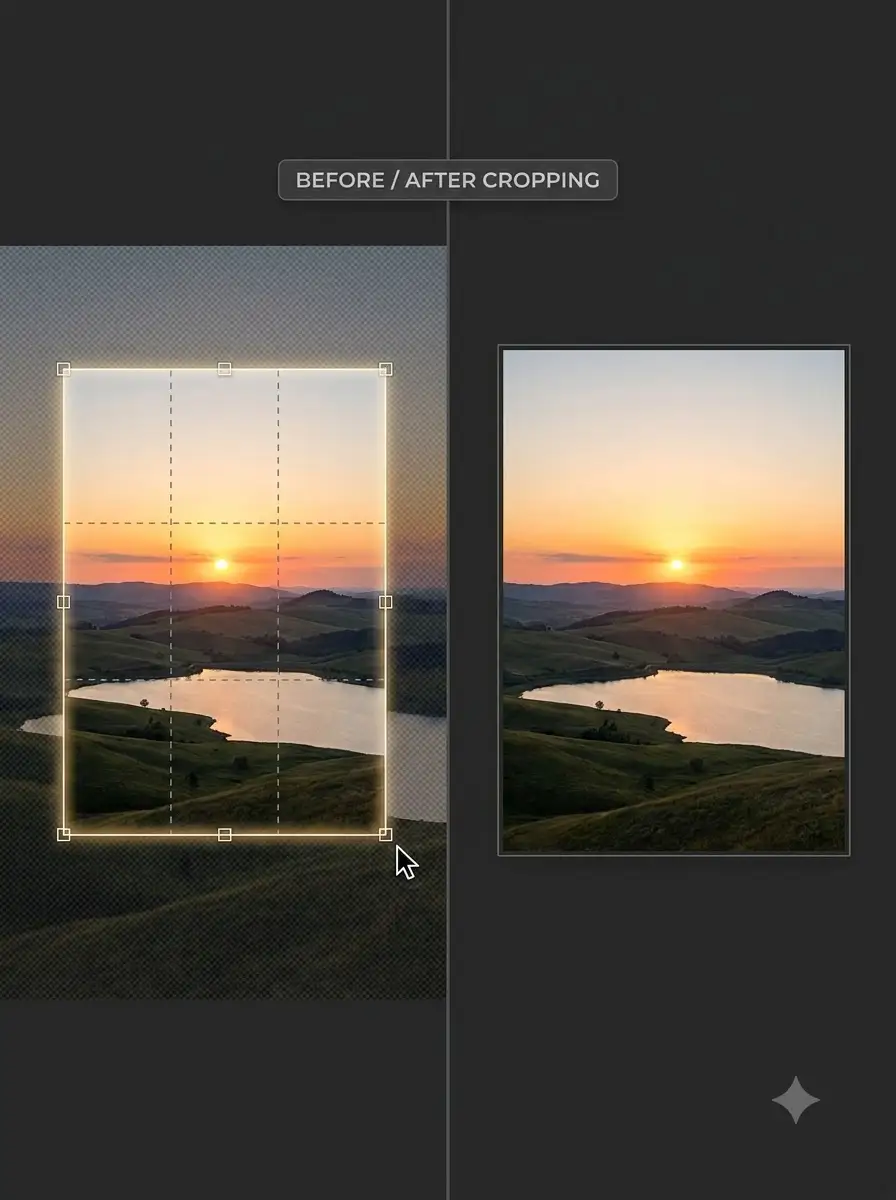
Crop images online for free with an interactive image cropper. Drag the crop area, move or resize the selection, and choose a free crop or a fixed aspect ratio such as 1:1, 4:3, 16:9, 3:2, or 9:16. A live selection readout helps you control the crop area precisely.
Need to crop more than one image? Use the batch workflow to process multiple images with your selected crop settings instead of repeating the same workflow one file at a time.
Use social media presets when preparing images for common content formats, or use custom crop controls when you need complete control over the selected area. You can also zoom, rotate, and flip images before creating the final crop.
Image processing runs directly in your browser. Your images do not need to be uploaded to a remote server, making the tool useful for personal photos, product images, screenshots, and other files you prefer to keep on your device.
About Image Cropper Online — Crop Images Free
WeLuvTools Image Cropper is a free online image cropping tool for creating custom or fixed-ratio crops from JPG, PNG, and WebP images. The editor provides a draggable crop selection, resize handles, aspect-ratio locks, social media presets, zoom, rotation, flipping, a rule-of-thirds grid, and a live pixel selection readout. It also supports a batch workflow for processing multiple images. You can choose PNG, JPG, or WebP for the output. Image processing happens locally in the browser rather than requiring an image upload.
100% Private
Files stay on your device.
Super Fast
Results in just a few seconds.
Secure & Safe
No account or upload needed.
Practical Limits
Capacity depends on your device.
Quick guide
How to use
Step 1
Drop or select your image to open it in the crop editor
Step 2
Choose Free Crop if you want an unrestricted crop area, or select an aspect ratio such as 1:1, 4:3, 16:9, or 9:16
Step 3
Choose a social media preset when you want to prepare the image for a supported platform or content format
Step 4
Drag inside the crop area to reposition it and use the resize handles to change its size
Step 5
Use the live selection information to check the crop area's position and pixel dimensions
Step 6
Use zoom when you need to inspect details or position the crop more precisely
Step 7
Optionally rotate the image clockwise or counter-clockwise, or flip it horizontally or vertically
Step 8
Turn on the rule-of-thirds grid when you want a visual composition guide
Step 9
Choose PNG, JPG, or WebP as the output format and adjust quality when supported
Step 10
Click Crop Image to generate the cropped result, then download the finished image
Practical scenarios
Use cases
Common ways people get more value from this tool.
Use case 1
Crop a portrait into a square profile picture
Use case 2
Crop photos for Instagram posts and Stories
Use case 3
Prepare landscape images for YouTube thumbnails
Use case 4
Create vertical image crops for mobile and social media content
Use case 5
Create consistent crops across multiple product photos
Use case 6
Batch crop a collection of photographs using consistent crop settings
Use case 7
Prepare Facebook cover images
Use case 8
Prepare LinkedIn banner and profile imagery
Use case 9
Create OG images for websites and shared links
Use case 10
Remove unwanted edges or background areas from photographs
Use case 11
Crop product images for e-commerce listings
Use case 12
Crop screenshots to focus on a particular interface element
Use case 13
Create consistent image compositions from a larger source photo
Use case 14
Rotate and crop images that were captured in the wrong orientation
Types & formats
Free Crop
Create a custom crop selection without locking the selection to an aspect ratio.
Aspect Ratio Crop
Lock the crop area to common ratios including 1:1, 4:3, 16:9, 3:2, 2:3, 9:16, 5:4, and 7:5.
Social Media Crop
Use predefined crop presets for Instagram, Facebook, Twitter, LinkedIn, YouTube, OG images, and square avatars.
Batch Image Crop
Process multiple images through the batch crop workflow using the available shared crop settings.
Transform and Crop
Rotate or flip the image before creating the final cropped output.
Recommended next step
Calculate an image aspect ratio
Check image dimensions and aspect ratios when deciding whether to use 1:1, 4:3, 16:9, 9:16, or another crop ratio.
Open toolResize an image after cropping
Crop the composition first, then resize the resulting image when you need specific width and height dimensions.
Open toolCompress images after cropping
Reduce the file size of cropped images when you need smaller uploads or downloads.
Open toolUse the all-in-one image toolkit
Continue with additional image processing tasks when cropping is only one step in your workflow.
Open toolThe WeLuvTools difference
Why choose WeLuvTools
Benefit 1
Focused online image cropper rather than requiring a full desktop image editor
Benefit 2
Interactive crop selection with eight resize handles
Benefit 3
Free crop mode plus multiple aspect-ratio locks
Benefit 4
Batch workflow for processing multiple images
Benefit 5
Social media presets for common image formats
Benefit 6
Live crop position and pixel dimensions
Benefit 7
Zoom for more precise image positioning
Benefit 8
Optional rule-of-thirds composition grid
Benefit 9
Rotate and flip controls before generating the crop
Benefit 10
PNG, JPG, and WebP output options
Benefit 11
Browser-based processing without requiring image uploads
Benefit 12
Useful workflow for both individual images and groups of images