Free Image Resizer — Resize Your Image Online Instantly
Change image dimensions by pixels, percentage, or practical presets. Preview the proportions and export JPEG or PNG without uploading your file.
Looking for India-specific guidance? Visit the India version.
About Free Image Resizer — Resize Your Image Online Instantly
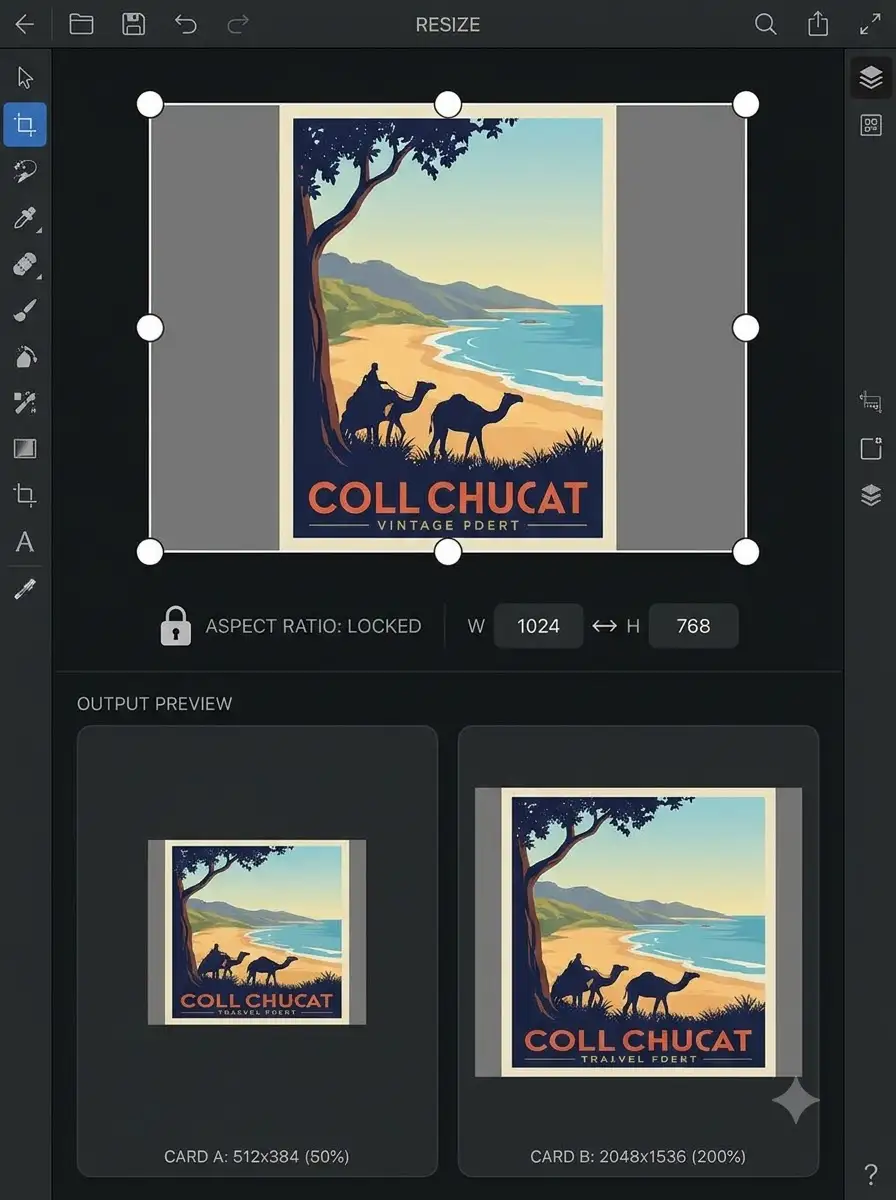
WeLuvTools Image Resizer is a free browser-based tool for changing the pixel dimensions of JPG, PNG, and WebP images. Resize by exact width and height, scale the original by a percentage, or start with practical presets for social media and web graphics. Keep the aspect ratio locked to prevent stretching, preview the target proportions, choose JPEG or PNG, adjust JPEG quality, and download the finished image. The complete workflow runs locally on your device, so the image is not uploaded to a WeLuvTools server.
100% Private
Files stay on your device.
Super Fast
Results in just a few seconds.
Secure & Safe
No account or upload needed.
Practical Limits
Capacity depends on your device.
Quick guide
How to use
Step 1
Open a JPG, PNG, or WebP image using the file picker or drag and drop; the file is read locally in your browser
Step 2
Choose exact pixel dimensions, percentage scaling, or a preset; keep aspect ratio locked when you want to prevent stretching
Step 3
Preview the target proportions, select JPEG or PNG, set JPEG quality if needed, click Resize Image, and download the result
Practical scenarios
Use cases
Common ways people get more value from this tool.
Use case 1
Preparing square, portrait, or vertical image canvases for social media posts and Stories
Use case 2
Reducing oversized photographs to the display width used by a blog, portfolio, or ecommerce website
Use case 3
Creating a 16:9 image at 1280×720 pixels for a video thumbnail or presentation preview
Use case 4
Resizing product photographs to consistent pixel dimensions before uploading them to a store catalog
Use case 5
Scaling images down before attaching them to email or adding them to an email newsletter
Use case 6
Meeting the exact pixel-dimension requirements of online application and profile forms
Use case 7
Generating smaller and larger interface assets for prototypes, documentation, and app development
Types & formats
Resize by pixels
Enter an exact width and height up to 8192 pixels for precise output dimensions
Resize by percentage
Scale both original dimensions proportionally using values such as 50%, 100%, or 200%
Aspect-ratio locked
Change one dimension while the matching dimension updates automatically to prevent stretching
Preset dimensions
Start with common square, portrait, vertical, widescreen, social sharing, and website sizes
JPEG or PNG export
Use JPEG quality control for photographs or PNG when transparency and lossless graphic output matter
Recommended next step
Find the right ratio first
Use the Aspect Ratio Calculator to plan exact dimensions before resizing social images, thumbnails, and banners.
Open toolCrop instead of stretching
If the new shape is different from the original, crop the image to the target ratio before resizing.
Open toolCompress after resizing
After reducing dimensions, compress the resized image for forms, email, websites, or upload limits.
Open toolThe WeLuvTools difference
Why choose WeLuvTools
Benefit 1
Private browser processing means your selected image is not sent to a remote resize server
Benefit 2
Pixel, percentage, and preset workflows are available in one responsive tool
Benefit 3
Live proportion preview makes stretching or unexpected orientation changes easier to spot
Benefit 4
Aspect ratio lock prevents accidental distortion when changing one dimension
Benefit 5
JPEG quality and PNG transparency options provide control over the downloaded result
Benefit 6
Free to use with no account, watermark, or software installation